Navigating Medicare can feel overwhelming, but the sign-up process is actually quite straightforward. Whether you are turning 65, retiring, or qualifying through disability, here is a breakdown of how to enroll.
1. Do You Need to Apply?
First, determine if you are automatically enrolled. You usually don't need to apply if:
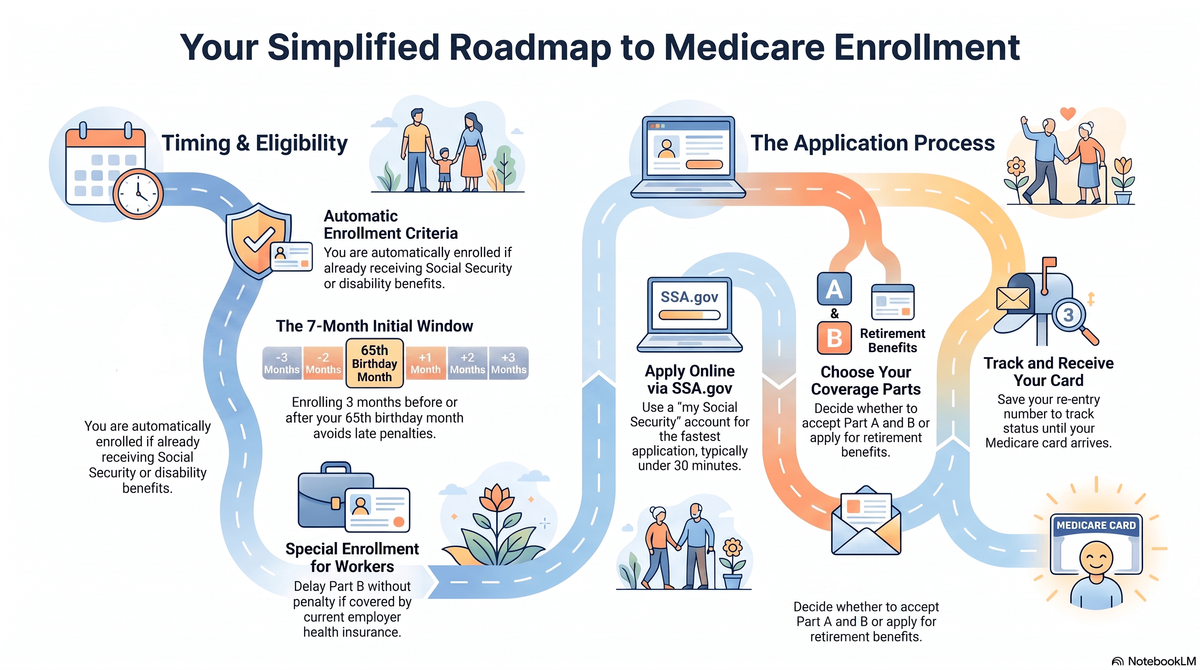
You are already receiving Social Security or Railroad Retirement Board benefits when you turn 65.
You have been getting Social Security disability benefits for 24 months.
If either of these apply, you will automatically get Medicare Part A (Hospital Insurance) and Part B (Medical Insurance). You'll receive your welcome package and Medicare card in the mail about 3 months before your coverage starts.
2. When to Apply
If you are not automatically enrolled, timing is important to avoid late penalties:
Initial Enrollment Period: This is a 7-month window that begins 3 months before the month you turn 65, includes your birth month, and ends 3 months after your birth month.
Special Enrollment Period: If you or your spouse are still working and you have health coverage through that employer, you may be able to delay signing up for Part B without a penalty. You can sign up while still covered by the employer plan or within 8 months after the employment or coverage ends (whichever happens first).
You can find more detailed information on enrollment periods at Medicare.gov: When can I sign up for Medicare?.
3. How to Apply Online
Applying online through the Social Security Administration (SSA) is the easiest and fastest way to sign up. It typically takes 10 to 30 minutes.
Step-by-Step Instructions:
Create an Account: You will need a secure "my Social Security" account. If you don't have one, go to SSA.gov/myaccount to register using Login.gov or ID.me.
Start the Application: Once logged in, go to SSA.gov/medicare and select "Sign up for Medicare" or “Start a New Application”.
Choose Your Coverage: You can apply just for Medicare, or you can apply for both Medicare and your Social Security retirement benefits at the same time.
If you only want Part A (which is free for most people), you will need to decline Part B during the application.
If you want both Part A and Part B, ensure you answer "yes" to enrolling in Part B. Note that Part B requires a monthly premium.
Save and Submit: You can save your progress and return later if needed, using a provided re-entry number. Review your application, accept the terms, and click “Submit Now”.
4. What Happens Next?
After submitting, you will get a receipt and an application number to track your status. The SSA will review your application, contact you if they need more information, and mail you a decision letter.
Once approved, you will receive a welcome package with your new Medicare card. You will use the Medicare Number on that card to create an account at Medicare.gov, where you can explore supplemental coverage options like Medigap or Medicare Advantage plans.